May 19, 2012

Dragon Dictate for Mac: Utterly Frustrating

Dragon Dictate might be the best dictation option for Mac users, but it's not very good at that

For the last few months, I’ve been experimenting with dictation software on the Mac. Previously, I had used the built-in dictation software in Windows Vista and Windows 7, but it was annoying to launch a virtual machine every time I wanted to dictate something. On the Mac and purchase an (expensive) copy of Dragon Dictate for Mac. So far, my experience has been less than positive.

Boxcar Growl Plugin Not Working?

Boxcar Growl settings

The Boxcar plugin is a “display” not an “application”, so it shows up under the “Display Options” tab, not the “Applications” tab in Growl on Mac OS X. The plugin installation automatically opens the wrong tab!

Local Snapshots in Mac OS X Lion Time Machine: Is It A Good Idea?

Time Machine in Mac OS X "Lion" includes local snapshots as well as storage of backups on external disks

Although it is not a full-featured backup application, I heartily endorse Time Machine since its ease-of-use encourages average users to backup their data and enables them to recover lost files in a user-friendly environment. Time Machine local snapshots add another layer of protection for Apple users on the go. As long as they do not rely on local snapshots exclusively for data protection, I call that a win.

How To Use Mac Photo Booth With No Flash or Delay

This is not exactly the photo I intended to take...

Among the useful features and applications bundled into Mac OS X, Photo Booth is not exactly the most useful. Still, it’s handy to sometimes have an application to snap a photo of yourself or your surroundings while on the go. But Photo Booth has no preferences pane, and the default delay and BRIGHT screen flash can ruin your picture. Here’s a quick tip on how to use Photo Both with either (or both) turned off!

Back From the Pile: Interesting Links, March 4, 2011

I spent this week at the 2011 Microsoft MVP Summit in Redmond, WA. It was an excellent trip, full of great information that I can’t talk about: Microsoft is the only company I have an NDA with! But I can say that no one should count that company out. Although Apple, Google, and Facebook (?!) get all the attention, Microsoft is making some good moves. The Kinnect and Windows Phone 7 show that innovation and creativity is alive and well in Redmond!

USB 3.0 For Mac Is Here!

I recommend the CalDigit PCI Express card for Mac Pro users with a need for (storage) speed!

My experience using USB 3.0 on a Mac has been wonderful. It’s so well-integrated you might not notice it except for the performance. At over 200 MB/s, it blows FireWire out of the water and is even faster than nearly any device you’re likely to throw at it. CalDigit sent me their Mac OS X-compatible USB 3.0 PCI Express card for evaluation, and I’m pleased as punch with the card.

Get Dragon Dictate 2 for Mac, Just $129 Today Only!

Dragon Dictate might be the best dictation option for Mac users, but it's not very good at that

I’ve been wanting to pick up a copy of Dragon Dictate for Mac for a while, but it’s an expensive proposition at $199 (list price). Amazon has been marking it down to $149 regularly, but even that’s fairly expensive. As a paid writer I can justify the cost as a business expense. But as a bargain hunter, I hoped that some day Amazon would drop the price further.

Is TRIM Useful For Thin Provisioning?

If WRITE_SAME can be a semaphore for thin un-provisioning, what about TRIM? It sounds like a perfect fit, and has wider implementation to boot! Let’s take a deeper look.

How To Write To Windows NTFS Drives In Mac OS X 10.6 “Snow Leopard”

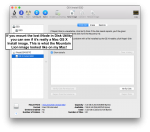
The diskutil command gives us the "Node Name", which we'll need momentarily

One of the daily hassles of using Apple Macintosh computers is the incompatibilities that arise with the broad Microsoft Windows world. Individual files often require conversion, but what about whole disks? Apple has long supported the universal and simplistic FAT filesystem, and added read-only support for NTFS back in 2003 in OS X 10.3 “Panther”. Third-party software like Paragon’s NTFS or the free NTFS-3G driver enabled read/write support, but a native solution was more desirable. Although 10.6 “Snow Leopard” includes NTFS write support, it is disabled by default. In this post, I’ll discuss methods for activating this native NTFS write support, as well as the pros and cons of doing so!

LaCie Releases USB 3.0 Driver For Mac OS X (But It Only Works With LaCie Drives)

LaCie has released a free driver that supports every current USB 3.0 host controller but will only talk to LaCie USB devices

Steve Jobs isn’t too keen on USB 3.0, apparently, but other vendors are stepping in to fill the void. CalDigit was first with a USB 3.o driver, but it was tied to the pricey PCI Express and Mini-PCIe cards they sell. Now LaCie is out with a free driver for just about any USB 3.0 card, but it’s locked to LaCie’s storage products. Let’s hope we get an unlocked driver soon!