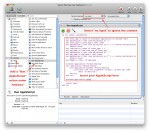
Last week, I posted a piece about How To Automate “Get/Send Clipboard†in Mac OS X Screen Sharing. In that article, I advocated using the Mac’s Speech Recognition to launch the AppleScript commands from any application (except Screen Sharing itself). But what if you don’t want to talk to your computer? Here’s a method of launching AppleScript or any other Automator action using keyboard shortcuts regardless of what application you are currently in. And it uses no third-party software, a bit plus as far as I’m concerned!
Apple
How To Automate “Get/Send Clipboard” in Mac OS X Screen Sharing
I’m a heavy user of Screen Sharing in Mac OS X. When I’m in the office, I sit at a workstation with my trusty IBM Model M keyboard, 27″ iMac, Microsoft Wheel Mouse Optical and Apple Magic Trackpad. Off to the side is my mobile environment, the MacBook Pro, open and running, with its display mirrored in a Screen Sharing window on the iMac. At the desk, I do most of my work on the iMac, with the MacBook limited to less-portable applications (Mail, iTunes, and iPhoto) and often displaying a full-screen TweetDeck board. But copying and pasting content between these two environments was a serious multi-click pain until I automated it with AppleScript and Speech. Here’s how I did it.
How Apple Will Get Their Mobile Phone Mojo Back From AT&T

Apple has taken a beating from the “in crowd” lately. In the mind of these technophiles, they’ve gone from hip to evil in just a few years. While Apple is lambasted for turning the iPhone “walled garden” into a jail, Google is applauded as the new bastion of openness and geek friendliness. This criticism focuses on the iPhone, especially with regard to the despised American mobile carrier, AT&T. But Apple is a long way from the evil empire it’s accused of being, and is showing signs that it will soon retake its mojo from the carriers.
How To Boot Snow Leopard in 64-Bit Mode
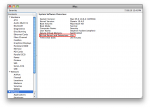
Last year, I posted two articles about Apple’s OS X 10.6 “Snow Leopard” and its new 64-bit kernel. The upshot was that, although just about every Mac made since mid-2008 is 64-bit capable, only the Xserve boots in 64-bit mode by default. Since my main computer is a glorious 27″ iMac that runs 64-bit Snow Leopard perfectly, I decided to permanently set it to boot this way. Here’s how you can set your Mac to boot 64-bit Snow Leopard, too!
My 10 Favorite Hidden iOS 4 Features

Apple released version 4 of their iPhone OS iDevice (iPhone, iPod Touch, iPad) OS last month after a grand WWDC unveiling. Although there are many changes and new features, not all are as obvious and noteworthy as multitasking, home screen folders, and background audio. After working with iOS 4 on an iPhone 3GS and iPhone 4 for a month, I thought I might highlight my favorite hidden features. Did you know these existed?
