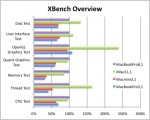
As I mentioned in my previous article, I decided to buy the 13″ Core i5 (base model) MacBook Pro. It meets my needs as a travel workstation, but how does it perform? I decided to benchmark it against my other Macs to see how it stands up.
Santa Rosa
2011 MacBook Pro Review: Introduction

Yesterday, Apple refreshed the entire MacBook Pro line. Although the new machines look identical to the old ones, massive changes were made below surface. I have been waiting to upgrade my now three-year-old Santa Rosa-based MacBook Pro, and seize the opportunity yesterday to pick up a brand-new 13 inch model. What made me pull the trigger? Read on!
Will Apple Call Light Peak “Thunderbolt”?
Intel has been incredibly tight-lipped about Light Peak. Although I’ve been hounding my contacts inside the company for months, no one has spilled the beans about anything. All I know about Light Peak I learned on the Internet, as they say. Now comes another bombshell: Apple will introduce Light Peak-equipped MacBook Pros tomorrow (February 24) with “Thunderbolt”, a high-speed I/O port!
Not Good: My MacBook Pro’s nVidia 8600M Video Failed
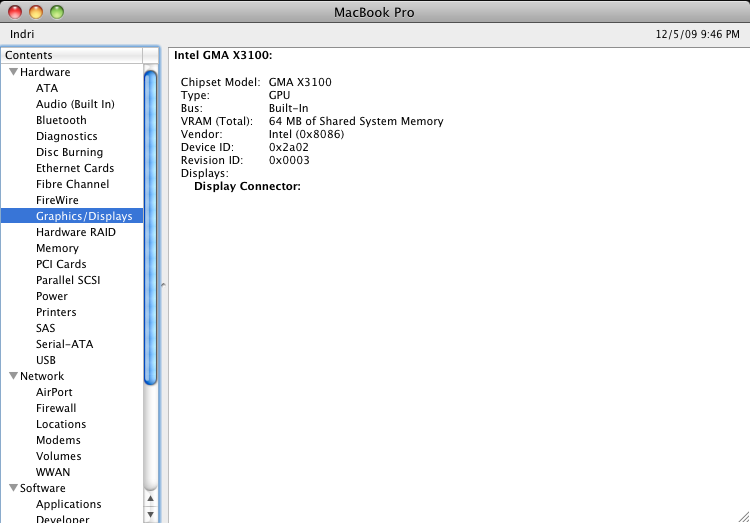
The nVidia 8600M GT graphics chip in my late-2007 (Merom/Santa Rosa) MacBook Pro has failed. Apple has promised to repair affected machines for three years regardless of warranty status, but that doesn’t make it any easier to live with. Let’s hope everything goes smoothly and my trusty notebook is back in action quickly! I’ll be updating this post with the status of my nVidia repair adventure.