How to Keep an IOGear KVM from Dimming Your Mac’s Screen
Just a quick tip tonight about something that’s been nagging me.  I love my IOGear MiniView Micro GCS632U KVM, but I’ve had a weird problem since hooking it up to my new MacBook Pro.  See, the IOGear uses a double press on the Scroll Lock key to switch views.  But every time I type this while connected to the Mac, the screen dims two notches.  Pretty quick, it’s completely black!

I just solved the problem.  The old Apple Extended Keyboard, as revered by Apple fans as my IBM Model M, continued the function key mapping past F12, adding F13, F14, and F15 where Print Screen, Scroll Lock, and Pause/Break is on an IBM 101-key layout.  Then they mapped F14 and F15 to dim and brighten the screen, respectively.  See the problem?  Yeah, the IOGear hotkey is “dim dim”!

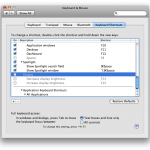
It turns out that this is easy to fix.  Leopard’s Keyboard & Mouse Preferences panel includes a tab to remap Keyboard Shortcuts.  Down at the bottom of the list is “Display”.  Expand it and you’ll see the two mappings in question - just un-check them and you’re good to go!

While you’re there, marvel at how none of the other function key shortcuts match up to their functions on the pre-2008 MacBook uses!  It’s a really bizarre oversight on the part of Apple to map bright/dim to F14/F15 and to F1/F2 on the same computer at the same time, depending if you’re using the built-in keyboard or not!  Apparently, the company shifted all the mappings around for the late 2007 desktop and early 2008 portables, too.

By the way, about that KVM - it’s pretty good, especially for the money.  I previously used a GCS62, which is a PS/2 in and out model with no audio, but the GCS632U is more suited to weirdos like me that like to use a PS/2 keyboard and mouse with a modern computer.  It takes PS/2 in but sends USB out to the connected computers, and includes audio, too.  It’s rock-solid, unlike the Belkin Flip I tried before, but I do wish the audio cable wasn’t captive to the video like it is - it’s just not long enough for the Mac.

Apple
Computer history
Terabyte home

Comments

Permalink

Command and Control: The Clash of Keyboards
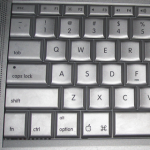
The lowly computer keyboard is so ubiquitous that it can seem unchanging, but nothing could be further from the truth.  It is one of the most important components of any system, and has survived all assaults by new technologies from the mouse to the pen to the microphone, yet its evolution is marked by legacy functions and terminology that can leave computer users scratching their heads.  Today we deal with an issue that has faced many over the past decades:  How to use a PC keyboard with a Macintosh and vice versa. Continue Reading »

Apple
Computer history
Terabyte home

Comments

Permalink

Optimus Maximus: It’s Beyond This Keyboard-Head

Have you heard of the Optimus Maximus yet? It’s the ultimate computer keyboard (no kidding!), it costs $1500 (no, really, I’m serious!), and I’m not interested (even though I’m a keyboard nut).

First, an introduction to the Maximus: It’s a 113-key PC keyboard. But each key is actually a mini OLED display, so the user can apply custom labels on the fly based on what application is in use. This is fairly cool - the (Photoshopped) demo pictures show a specialized Quake layout and talk about Hiragana and even Quenya (for all you Elves in the house!).

So imagine a massive keyboard (most common ‘boards have 101 to 105 keys) with glowing, possibly animated, keys. One that has to be plugged into its own power supply because no USB port could handle the load. One where the layout might just change on you when you alt-tab (or command-tab - Mac OS X works, too) over to another application. One that cost you more than many desktop PCs.

Having a hard time imagining it? Well, you’ll have to because even though it’s been the geeky fanboy’s dream since 2005, it’s still not shipping. Wait ’till February, they say! In the mean time, you can get a fairly cool 3-key version (is something with just three keys really a keyboard?!?) called the Mini Three for just $150! And as if one vaporware keyboard wasn’t enough, the Optimus people just announced variants with 47, 10, and one (One?!? The space bar?!?) programmable key for the cost of a sweet hi-def digicam, a full-price TiVo Series 3, or an iPhone (plus tax)! And they’re all shipping in February! Really! Here, look at the box!

This is madness. I love keyboards, but this thing is not a keyboard. It’s a multi-display peripheral that also has keys - which is why the Mini Three is fairly cool.IBM Model M

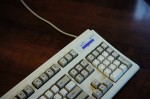
Me? I’ll stick to my beloved 1987 IBM Model M - a keyboard that has served me for nearly two decades, attached to a dozen different PCs. A keyboard that people can truly wax enthusiastic for, since it’s a keyboard not some multi-display monstrosity. A keyboard that you can type 90 words per minute on. A keyboard that can handle a coffee spill. A keyboard that makes people on the other end of conference calls say “what is that noise?” A keyboard you can still buy (new old stock) for under $100!

Though I do miss the programmability of the Gateway AnyKey sometimes…

Computer history
Personal
Terabyte home

Comments

Permalink