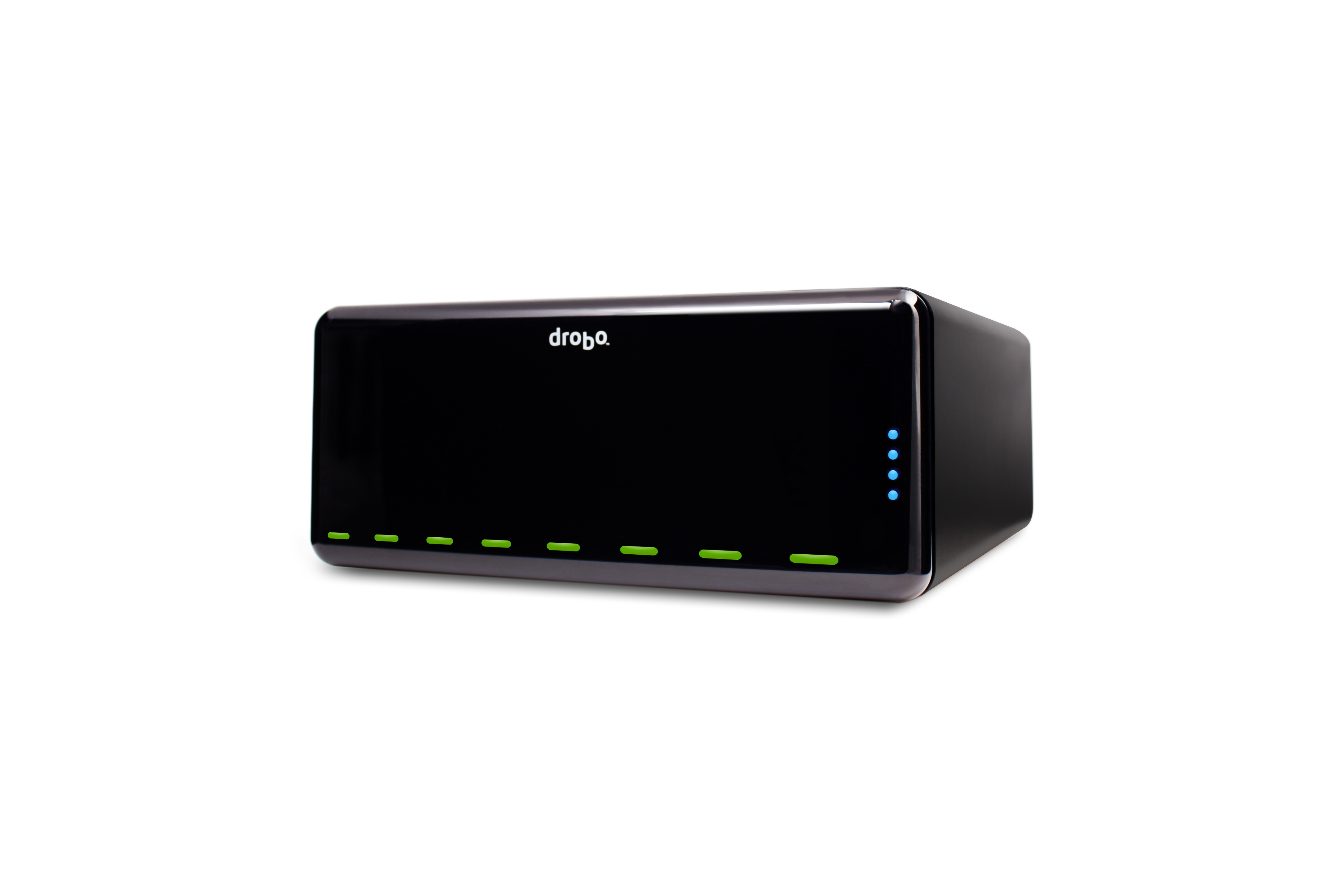
DroboPro is here, and it’s quite a compelling offering. It’s generating buzz (DroboPro was the number one trend on Twitter for a while on Tuesday) but is it deserving? In a word, yes. But I’m still not going to buy one!
The Drobo for Pros
Just as in Apple’s Mac and MacBook lineup, the “Pro” name denotes more of everything for the pro user or small business. The most obvious addition is four more drive slots, bringing maximum capacity up to eight 2 TB drives or a solid 16 TB of raw storage. Mix in data protection with Drobo’s unique BeyondRAID and subtract disk drive “liars inches”, and you’re left with 10.9 or 12.5 TB of usable capacity.
The difference in potential usable capacity is another Pro feature – optional protection from double drive failure. Nice! Users might be tempted to turn off this RAID-6-ish double parity protection in order to gain a little extra space, but I’d strongly suggest against that. With 8 drives spinning, the system is bound to eat a drive now and then, and good old Murphy’s Law (or the notorious bathtub curve of drive failures) is sure to spell doom for your data without extra protection. I suppose single-drive protection is acceptable for a 4-drive unit, but eight drives drives the risk of loss unacceptably high.
Around back is another major surprise: A gigabit Ethernet port. No, the Drobo Pro doesn’t incorporate the DroboShare’s NAS technology. Instead, the company added a simple and speedy iSCSI stack, bringing some serious performance potential to “the little drive array that could.” The company says that a gigabit iSCSI connection pushes nearly 80 MB/s, easily tripling the throughput of the system’s FireWire 800 or USB ports.
PC owners might be put off by the lack of an eSATA port, but they would be wise to use iSCSI instead. Warning: Watch out for the limited performance of low-end gigabit Ethernet switches! Just about any iSCSI initiator ought to be able to connect to the Drobo, and Windows users will happily use Microsoft’s solid and free software to connect. But iSCSI on the Mac is another matter, and Drobo dropped a bombshell here: They cooked up their own simple software iSCSI initiator for OS X and are offering it free to all! This is shout-out-loud news since functional OS X iSCSI software costs hundreds of dollars from other vendors and Apple’s built-in Leopard iSCSI support is AWOL even in the latest Snow Leopard builds.
On the software side, Drobo remains amazingly simple to configure. You won’t find even a dozen buttons in the management interface, and no tuning or configuration is required. The software continues Drobo’s tradition of presenting all attached storage as a 16 TB drive, regardless of how much is really installed. This means that capacity can grow and shrink as drives are hot-swapped in and out without the connected server even noticing. The Pro does add one new trick: You can tell it to present up to 16 of these fibbing drives to the attached server if you’d like to segment your data a bit. Pro owners can also disable drive spin-down for server use.
Drobo is positioning the Pro model as the perfect small business storage system, and I certainly wouldn’t hesitate to recommend it as bulletproof small-office storage. By far, DroboPro is the simplest storage device to manage, expand, maintain, and install. It’s cheap compared to other 8-drive RAID systems at $1200 empty and can grow to meet the needs of a dozen folks, or one especially productive one, with ease. Connect a Drobo Pro to your Mac Pro and you’ll grin like a little girl who just got her very own pony!
No Drobo For Me
Although I love DroboPro even more than Drobo classic, it’s not for me. DroboPro is exactly what the majority of folks need, but its intentional simplicity means that it wouldn’t work in my home office environment.
You see, Drobo can still only be connected to a single computer. Although the Pro unit sports a total of four ports on the back (two FireWire 800, one USB 2.0, and the gigabit Ethernet), users must pick one and ignore the rest. Even the iSCSI support is limited to serving up a single target. This is not a home SAN. It’s not even suitable as a Time Machine target for two Macs.
Yes, you can share the capacity of a Drobo with NFS, SMB, or AFP using a computer or DroboShare, but that’s not what techies like me want. We want to share its storage directly among a few computers, something the Drobo Pro teases with its iSCSI support but refuses to deliver. And don’t be fooled: The second FireWire port is for daisy-chaining other FireWire devices, not connecting multiple systems.
Do you want to support a mail server and a file server in your small office? Buy two Drobos or combine them into a single computer. But I’m not going to do this at home. Data Robotics also hasn’t yet logo-qualified the Drobo Pro for Windows but it worked fine in their demo. I’d love to see ESX and Hyper-V qualification, too!
Finally, note that not all of these features are trickling down to the 4-bay Drobo. It is obviously not iSCSI-capable, since it lacks both the gigabit Ethernet port and dual-core processing muscle of its big brother. Dual-drive data protection, drive spin-down disable, and multi-volume capability are missing as well, though I’d love to see the latter especially.
Despite these limitations, I would not hesitate to recommend Drobo and DroboPro as the best simple storage available.

I think we were all hoping and waiting for a 4 port drobo with integrated gigabit ethernet with SMB support…a drobo NAS at something like $600. if you share a drobo pro then the smb request goes through the server to the drobo pro and the result goes back through the server to the client….that doesn’t sound like a high performance shared configuration…..darn….disappointed 🙁
I didn’t realize the drobopro can only export a single target. What a waste, I was really excited about buying one, too… I wonder if there’s any chance they’ll add multiple targets with a firmware update or something? Probably not though, I imagine the simplicity of a single target is also the only way they have a chance at maintaining performance.
Now to find an equivalently elegant way to tie 8 drives into a solaris system… hmm…
Erik,
I was disappointed, too, when I heard this. Many of the reviews of the DroboPro failed to notice the single-system limit and just breathlessly reported “iSCSI for all!” However, I am in close contact with Drobo’s product marketing VP (in fact, she’s reading this post!) and I have asked/begged/pleaded to have this on the road map. I will continue to request multi-system support and express my love for Drobo’s underlying BeyondRAID technology and awesome hardware design every chance I get.
After three widely-read posts about why the Drobo isn’t yet meeting my needs, I really look forward to writing an “I just bought a Drobo” post in the future. I have a spot reserved in my lab equipment rack for my Drobo unicorn!
Stephen
Good article thanks. Really describes well where the drobo pro fits in.
One comment though – you said that the Classic does not have “multi-volume capability” but it does, even the 1st gen. Yes it does not have spin down disable or multi drive data protection, but you can configure as many volumes as you like.
Hi,
I had a couple of comments.
1. If you wish to use the Pro with multiple computers, you can attach it to a gigabit ethernet SWITCH and then plug the spare ethernet port from each of them into it for multiple targets. I have not tried this, just read about others doing it. (And Drobo mentions it on their web site, see http://support.datarobotics.com/app/answers/detail/a_id/243).
2. If you are using Time Machine, you can connect it to an Airport Extreme Base station (or a Time Capsule) as a USB drive and then it can be the target for multiple Macs. I have a 1st gen Drobo connected to my old Airport Extreme Base station and use it that way.
I have a Drobo Pro connected via iSCSI to a Mac Pro – this should be available to other machines as a Time Machine target also, but I don’t need it so haven’t look at it.
🙂
Just FYI.
This does not work. Only one client per target is permitted.
http://support.datarobotics.com/app/answers/detail/a_id/303/kw/iscsi%20multiple/r_id/100004
Drobo says it does work. You can see their discussion if you look at the drobo link I listed via iSCSI. One part specifically mentions multiple computers having access to the DroboPro [“If you have a 1 Gbps switch, you can connect DroboPro and your designated host computer (in other words, the mount point) to the same switch, along with ***any other computers which will need to access DroboPro**** (see below under “Important Notes”)]
Likewise, it works fine with TimeMachine with multiple computers. I have done it.
You are both partly right: Travis is right that DroboPro cannot present storage using iSCSI, USB, or FireWire to more than one server. This is a massive limitation, and stands in contrast to just about every other iSCSI storage system on the market. Even if it is attached to an Ethernet switch, and even if more than one server can “see” the Drobo, only one server will be able to DIRECTLY access ANY of its storage using iSCSI. (This is according to Drobo – I don’t have a DroboPro to test!)
Chris is right (as is the Drobo documentation) that this switch could also allow other servers to access capacity on the Drobo THROUGH THAT ONE SERVER using a protocol like SMB or AFP. This is no different than sharing FireWire or USB storage in this way, and is in fact exactly how I share my non-Pro Drobo using a Mac Mini.
Only one server can directly interact with a Drobo, but that server can then do what it wants with the storage, including sharing it with other servers.
I will be talking to Data Robotics’ executives tomorrow about this very topic and will be posting a follow-up here on my blog by the weekend!
“You see, Drobo can still only be connected to a single computer.”
This is why I will probably not buy it. However, if I do, will this be a firmware/software upgrade to this? Is there anything to make this work for different computers on Windows (and Mac perhaps). This is what I saw for Macs though – Editing over IP on Shared Storage http://www.lafcpug.org/reviews/review_drobopro.html
But can a single computer or a server connect to multiple DroboPro’s? We’re currently investigating using Drobo as an archive device for Final Cut Server. And we’d like to use two: One as the archive device and one as backup for the archive using a rsync command.
But can a single computer or a server connect to multiple DroboPro's? We're currently investigating using Drobo as an archive device for Final Cut Server. And we'd like to use two: One as the archive device and one as backup for the archive using a rsync command.
I’m curious, you had a number of reasons that you wouldn’t use it. (That resonate with my situation) Do you mind my asking you what you do use?
Thanks,
Adam
I have consolidated my work onto a single powerful computer – a Nehalem iMac – and have 12 TB of storage connected, including a 4-bay Drobo (FireWire), a 4-bay Iomega ix4 (iSCSI) and an eSATA port. I don’t recommend any part of this except the Drobo, which has served me well through two disk drive failures.