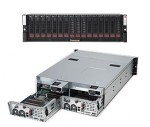
The history of technology moves in fits and starts, but one trend trumps all else: An inevitable shift from fine-tuned specialized gear to general-purpose commodity building blocks. We see it in both hardware and software, and at all levels of the industry, from chips and wafers to operating systems and networking devices. Take a step back and you’ll certainly agree: Commodity hardware always wins (eventually).
Apple
How To Create a Data DVD Using Only the Mac OS X Finder
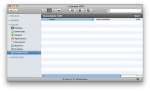
You don’t have to buy some expensive DVD burning software just to archive files to disc on Mac OS X; Apple includes this functionality right in the operating system! Although the process isn’t exactly obvious (as in, ahem, Microsoft Windows), it works fine. Here’s how to burn a data DVD without using any third-party software.
Back From the Pile: Interesting Links, October 22, 2010
This week’s links focused on the MacBook Air, and Iomega’s USB 3.0 SSD. On the enterprise side, we have HP’s new training programs, server virtualization assumptions, the rise of the storage industry, and another great piece by Chris Evans.
Apple’s Unconventional New MacBook Air SSD
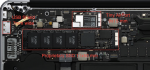
Apple updated the ultra-slim don’t-call-it-a-netbook MacBook Air this week. Along with a wimpy out-of-date CPU, the new Air features all-SSD storage of an entirely new and apparently proprietary type. Let’s take a look and see what we can see.
Apple Replaces Operating System DVDs with the Software Reinstall Drive
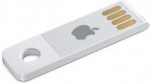
Along with the apparent Mini PCI-E SSD, Apple introduced another storage feature with the late-2010 MacBook Air: The Software Reinstall Drive. Although not mentioned in the product introduction, the read-only USB drive is a clever solution for a device with no optical drive. Here’s what I’ve discovered about it so far.
