You don’t have to buy some expensive DVD burning software just to archive files to disc on Mac OS X; Apple includes this functionality right in the operating system! Although the process isn’t exactly obvious (as in, ahem, Microsoft Windows), it works fine. Here’s how to burn a data DVD without using any third-party software.
SuperDrive
Apple Replaces Operating System DVDs with the Software Reinstall Drive
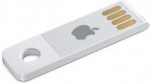
Along with the apparent Mini PCI-E SSD, Apple introduced another storage feature with the late-2010 MacBook Air: The Software Reinstall Drive. Although not mentioned in the product introduction, the read-only USB drive is a clever solution for a device with no optical drive. Here’s what I’ve discovered about it so far.
Four Ways to Add eSATA to Your iMac

The latest Intel iMac line is a killer desktop, from its brilliant screen to its excellent performance. But it’s a little lacking when it comes to expansion: A workstation really needs more I/O than five USB and one FireWire port! Since I’m a storage fanatic, my attention naturally turns toward eSATA, and I’m not the only one. Although I’ve come up with three different methods of adding eSATA to my iMac, I haven’t yet taken the plunge and made it happen.
How Far Can You Push a Mac Mini?
Last week I reported my progress upgrading my Mac Mini’s RAM and hard drive to extract much more performance out of Apple’s little desktop. And indeed, adding a 7200 rpm high-performance laptop hard drive did make a noticeable difference in system responsiveness. But a question came in via email asking, will Western Digital’s killer 10,000 […]
