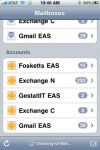
Among the many exciting features of Apple’s version-4 iPhone OS is the long-awaited ability to sync to multiple Exchange ActiveSync servers. The new software, now dubbed iOS 4, can synchronize mail, contacts, and calendars between many different services that use Microsoft’s Exchange ActiveSync protocol, including Microsoft Exchange 2003, 2007, and 2010 and Google’s Gmail service.
Google Sync
How To Enable ActiveSync For Google Apps Accounts
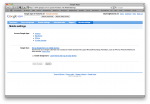
Here’s a quick tip, but a timely one now that the iPhone supports multiple Exchange ActiveSync servers: Although Google supports the Exchange ActiveSync protocol to synchronize mail, contacts, and calendars between Gmail and mobile devices, it is not active by default for custom Google Apps domains. It’s pretty easy to enable it, though.
Can the iPhone Sync With Multiple Exchange Servers?
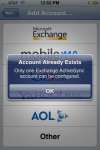
One of the major advances introduced in iPhone software version 2.0 was the ability to sync over-the-air to Microsoft Exchange servers using Microsoft’s ActiveSync protocol. This was introduced to much fanfare with the iPhone 3G and is available on older updated iPhone and iPod Touch units, too. Google and NuevaSync also offer over-the-air calendar and […]