The Future of Home Storage

Homes now need data storage as well as closets...

Homes now need data storage as well as closets...

This is part of an ongoing series of longer articles I will be posting every Sunday as part of an experiment in offering more in-depth content.

Along with my professional focus on enterprise storage systems, I’m enamored of home networking, and recently passed the three terabyte mark at home! This got me thinking about where home storage is heading.

As you can see in the photo, my office closet is overflowing with computer equipment (and one sweet guitar), but my data storage is much better organized. I have a hacked Linksys NSLU2 with 500 GB as a file server, a 500 GB PC backup disk, a 160 GB Time Machine disk, 1 TB of TiVo storage, and the rest. But wouldn’t it be nice if this could all be combined into some kind of super home server?

Continue Reading »

Apple
Computer history
Terabyte home

Comments

Permalink

Switch Day 58: Ten Pros and Cons of the MacBook Pro

I’ve now been a Mac user for two months. Since I switched primarily to get access to Apple’s excellent hardware, I thought I would issue an update on my observations about it at this point. I should note that I’m limiting this post to the hardware (maybe I’ll cover OS X some other time), and that I’m using a maxed-out Late-2007 2.2 GHz MacBook Pro.

Although some shortcomings have appeared, I’m pleased with the Mac overall. It definitely met my expectations and continues to meet my needs, mixing portability and performance in an excellent package.  I am impressed by Apple’s hardware design and component choices, especially when compared to other computers with similar specifications that I have used.  And, as noted by Tom’s Hardware, the specification of the machine was reasonably priced, especially since I purchased it at a substantial discount and upgraded it myself.

Continue Reading »

Apple
Personal
Terabyte home

Comments

Permalink

Yes, FireWire is Faster Than USB

This should not come as a shock to anyone, as it has been proven before, but let me take this moment to say that, yes, despite their rated speeds, 400-megabit FireWire S400 (aka IEEE 1394) is faster than 480-megabit USB 2.0.

While swapping out disk drives (first to upgrade the internal drive in my MacBook Pro and later to give Time Machine more room), I took some quick performance snapshots with xbench and showed that, depending on I/O type, FireWire can be almost twice as fast as USB, but neither really holds a candle to SATA.

I also took the opportunity to compare the highly-integrated USB 2.0 controller in my Maxtor OneTouch 4 Mini with the much more complicated FireWire/USB combo found in the Verbatim SmartDisk, as well as the performance of three popular notebook hard disk models.

Continue Reading »

Apple
Terabyte home

Comments

Permalink

How To Move OS X Time Machine Backups To A New Disk

Uh oh, after this backup I'll only have a few GB left on my Time Machine backup drive!

Uh oh, after this backup I'll only have a few GB left on my Time Machine backup drive!

Well, that happened pretty quickly!  After upgrading the internal hard drive on my MacBook Pro to 320 GB, I moved the 120 GB disk Apple shipped with the machine to my Verbatim SmartDisk FireWire+USB enclosure to use as a Time Machine backup target.  Despite applying some tricks to reduce the amount of data backed up by Time Machine, I filled up the 120 GB drive pretty quickly indeed!  So I decided to swap the 160 GB drive from my Maxtor OneTouch 4 Mini USB drive into the (faster) Verbatim FireWire enclosure to give Time Machine some (temporary) breathing room.

It turns out that you can move Time Machine backups easily, with included OS X tools, and without breaking anything.  My old backups are still visible, and I have another 40 GB to work with.  Read on for the details!

Continue Reading »

Apple

Comments

Permalink

Drobo 2: Apple Doesn’t Fall Far From the Tree

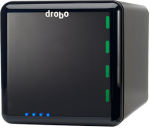
Data Robotics today introduced the second generation of what I think of as a personal storage array, but although the Drobo 2 offers great enhancements, making it a top choice for those needing massive and protected storage on a single computer, it’s still not what I’m looking for in a home storage device.

Continue Reading »

Enterprise storage
Terabyte home

Comments

Permalink

Low-Power USB Ports Haunt My MacBook Pro

It turns out that Apple made at least a few errors in designing the hardware of the MacBook Pro.  After living with it for a solid week, I can report that, along with the useless ambient light sensor and wimpy power cord, both of the ‘Pro’s USB ports are compromised!  The left side doesn’t have the power to spin up a disk drive, and the right side shares bandwidth with the iSight camera built into the lid.  Why would Apple make this kind of mistake when PC vendors get these things right?

Continue Reading »

Apple
Terabyte home

Comments

Permalink

Upgraded! 320 GB in a MacBook Pro!

I know I’m not the first to do this, but it does make me chuckle to have upgraded a brand new machine less than a week after buying it.  That’s right, my brand new MacBook Pro now has 4 GB of RAM and a massive 320 GB of disk space.  If you’re thinking of upgrading your disk, whether you have a Mac or PC, now might be a good time, as prices have recently hit a new low point.

Read on for details on swapping a disk in a MacBook Pro, finding a great deal on the drive, and how to get Boot Camp and VMware Fusion to work again after you do it!  Surprisingly, this was the hardest part… Continue Reading »

Apple
Personal
Terabyte home
Virtual Storage

Comments

Permalink

Custom Icons Keep Removable Drives Straight

Update: I have created another page for custom drive icons in Mac OS X

If you’re like most people, you have accumulated a large number of removable USB storage devices over the years, from flash-based thumb drives to external hard disks.  I have seven of these things sitting on my desk or in by laptop bag right now!  But Windows XP and Vista uses the same icon for all of them, adding a few seconds of examination every time I try to select one.  Icon confusion can cause problems too, like the time I accidentally saved a presentation to my big desktop backup drive instead of the thumb drive I headed out of the office with!

Ugly - no drive icons

Before: Everything looks like a generic external book type thing.

But I’ve stumbled on a great method to create easy to locate the right drive using free software and the power of Google.  I create a custom drive icon that looks like the physical drive in Windows, so I can see which is which at a glance.  Here’s how!

An (over)abundance of beautiful drive icons

After: Aah, now I can see which removable drive is which.  Shame about that iPhone icon, though…

Continue Reading »

Personal
Terabyte home

Comments

Permalink