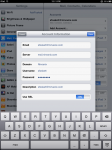
Determine Your Outlook Web Access URL

I’ve been trying to work out how to sync my various data sources into a cohesive whole for a while now, and using the Mac has made it somewhat easier, since it supports a variety of data sources. For users of Microsoft Exchange, one of the most valuable sources for sync data is Outlook Web Access (OWA), because it uses the open(ish) WebDAV standard rather than the (closed) MAPI.

One thing that’s been getting in the way is the URL: You need to enter a correct, canonical URL to access OWA, and it can be tougher than expected to figure this out, since it has changed with newer versions of Exchange. But I’ve discovered some breadcrumbs that helped locate mine, and thought others might like to see these, too.

Continue Reading »

Apple

Comments

Permalink

iPhone and Exchange: Push Email? Great! Switch to Mac? Priceless!

Here’s a surprise benefit from the iPhone 2.0 Exchange ActiveSync ability: I was able to finally move my iPhone’s “home” sync from the PC to the Mac!

I’m a long-time iPhone user and new Mac switcher, but since I use the phone for business (read Exchange) email, contacts, and calendars, I was stuck syncing it to the (work) PC instead of the (home) Mac.  This really wasn’t optimal, as it meant I needed to load all of my songs and movies on the work machine, which is a serious no-no for my “keep ‘em separated” computing preferences. But the iPhone has to be synced to a single machine, and since I needed to be able to keep my contacts and calendars up to date, I was stuck.

All this changed with 2.0’s over-the-air sync ability, though. Once you enable Exchange ActiveSync (or MobileMe, for that matter), you no longer have to tie the iPhone to Outlook. So now I am able to sync my work contacts, email, and calendar to Exchange and my songs, ringtones, apps, and movies to my Mac! Joy!

I first noticed this shortly after my 2.0 upgrade and ActiveSync activation. I docked the iPhone to the Mac to download some photos with iPhoto, and I noticed that iTunes would let me “sync” it there, even though it was “paired” to the PC. Although I had selected “manually manage music”, I couldn’t drag and drop songs or videos, but I noticed that the calendar, contacts, and mail sync settings were now grayed out. This got me thinking, so I decided to take the plunge and blow away all of my content in order to really sync the phone to the Mac. Sure enough, my mail, contacts, and calendars remain connected to Exchange, but everything else now lives on the Mac.

I wonder if Apple considered this implication when they released Exchange ActiveSync. After all, it would seem to tie the phone more strongly to Microsoft but actually has the exact opposite effect. I don’t need a Windows PC at all anymore!

Apple
Personal

Comments

Permalink

Yes, Exchange ActiveSync for iPhone Works Without a Business Data Plan

One of the most common questions I’ve been hearing after I published my articles on how to set up Exchange ActiveSync with the iPhone 2.0 software is whether or not you need an enterprise data plan from AT&T in order to use it.  There were conflicting rumors going around prior to the launch, and AT&T and Apple haven’t been clear on the subject.

Here’s the answer:  You do not need to buy the $45 Enterprise Data plan from AT&T for Exchange ActiveSync and corporate VPN access to function with an iPhone 3G or upgraded original iPhone.

This may not be the whole story, though.  Although the Exchange and VPN features exist and are functional with either the $20 EDGE or $30 3G data plans from AT&T, the company may require you to buy the $45 Enterprise Data plan.  I am not a lawyer, but the terms and conditions are no help.

And the wording on the iPhone web site and iPhone business site aren’t clear, either:  They say you must get the Enterprise Data Plan “to access corporate email, company intranet sites, and/or other business solutions/applications”.  Although this would certainly include business Exchange users, it would also include non-Exchange users accessing business sites, as well as business users accessing their Exchange server with IMAP.  And it would seem to exclude those using Exchange for personal email (which is quite possible).

Note that, although these enterprise features are fully functional in EDGE iPhones with 2.0, there is no Enterprise Data plan for them!  So if you have an original iPhone you have to use the $20 data plan no matter what!

Finally, although I can’t tell you whether AT&T allows it explicitly, many people have been successfully using their iPhones to access Exchange ActiveSync with both the $20 and $30 data plans with no problems at all. 


Everything

Comments

Permalink

Don’t Bother With Multiple Colored iPhone and Exchange Calendars

One of the things that surprised me about iPhone 2.0 was the introduction of multiple calendars.  I figured that the device couldn’t handle more than one calendar, since syncing to Exchange meant you lost all other calendars.  But the exact opposite is true:  Everyone who uses Exchange ActiveSync will suddenly see a number of different calendars appear, and this can cause much confusion.

After experimenting with my iPhone, Outlook 2007, and Entourage, I think I’ve figured out how to work with these new mult-colored calendars.  Read on for the dirt!

Continue Reading »

Apple
Personal

Comments

Permalink

A Few iPhone Exchange ActiveSync Gotchas

I’ve been running OS 2.0 on my (first-generation) iPhone for a week and a half now, and as I mentioned before, Exchange ActiveSync push email, calendaring, and contacts was one of the main things Iwas looking for when I upgraded.  That article on setting up ActiveSync has since become my top blog post by far, pulling in literally thousands of hits per day, so I must not be alone in wanting this functionality.

But it turns out that the green grass of iPhone/Exchange integration has a tint of brown.  Folks have experienced issues getting the service set up, and it guzzles battery juice like a toddler at a lemonade stand.  Read on for my notes and suggestions… Continue Reading »

Apple
Terabyte home

Comments

Permalink

How To Set Up iPhone Exchange ActiveSync

It’s finally here!  The iPhone now has most of the functions of the BlackBerry - over-the-air push and sync of Exchange email, contacts, and calendars!  Apple let the 2.0 OS out of the bag earlier today, and intrepid souls (and me) have taken the plunge and installed it.

While most people, including me, headed to the (also active) App Store to try out the native games, I quickly turned the other way - towards the new Microsoft Exchange integration.

Read on for my first impressions and instructions on getting it up and running.

By the way, the apps are great!  Sega’s Super Monkey Ball is touchy, but I think I’ll get the hang of it.  And my 4 year old loves Jirbo Match!  Too bad the Red Sox weren’t playing or my test of MLB At Bat would have been much more exciting!

Continue Reading »

Apple
Personal
Terabyte home

Comments

Permalink

Import your old Outlook/Express PSTs to Gmail

Like so many other people, I’ve switched my personal email use over to Gmail. In fact, I did it back in mid-2005, redirecting my personal address on my private fosketts.net domain from Dreamhost’s POP mail service to my gmail account. I’ve been happy with it ever since, but my old mail still sat on my old desktop PC in a PST file created by Microsoft Outlook.

I love that Gmail keeps all of my email online and easily searchable - when I need to locate some old bit of information, I can usually find it by typing a couple of words into the Gmail search box, no matter where I am. Since I travel a lot, I’ll often log into Gmail from my work laptop, a hotel PC, or my iPhone just for this purpose.

But the other day, I remembered a message my dad sent me a few years ago and wanted to look it up. I was stuck, though, because the message was sitting in a PST on my (powered-off) desktop back at home. I was able to get to it from my laptop through a complicated process that involved ssh, my Tomato-powered router, wake-on-LAN, and remote desktop… Not something I wanted to go through again!

I got thinking that I’d love to have all of my mail in Gmail - even those messages from before I started using it. Turns out, lots of people were thinking about this way back when, but it’s always been difficult to import mail into Gmail, and lots of folks think it still is. But I found that, thanks to Gmail’s new IMAP feature, it’s now super easy to get your PST (and Thunderbird, etc) mail into Gmail! Read on for how I did it, and how you can too!

Continue Reading »

Personal
Terabyte home

Comments

Permalink

NetBackup 6.5 Spreads the Love Around

Symantec announced availability of the latest NetBackup revision today, version 6.5. This release is nearly complete in its buzzword-compliance, with enhanced support for VTL and backup to disk, data deduplication, CDP, LAN-free backup, SharePoint and Exchange, and even VMware! What’s the matter, Symantec, was Thin Provisioning not ready for release? How about green computing? Holographic storage? Yes, I jest…

Seriously, you gotta cheer when a “big gorilla” app like NetBackup adds this kind of technology, though. CDP and deduplication were great ideas but needed n application to focus them, and data backup is an excellent place to apply them.

And although the press release doesn’t highlight it, the application-specific recovery enhancements look especially tasty to me. NetBackup leverages VCB in VMware but can do file-level restore, which is awesome. And it can also do document-level or full-database restore in SharePoint from the same image. Over in Exchange land, it claims to be able to restore from snapshots instead of the backup image, speeding (all too frequent) recoveries.

Enterprise storage
Virtual Storage

Comments

Permalink