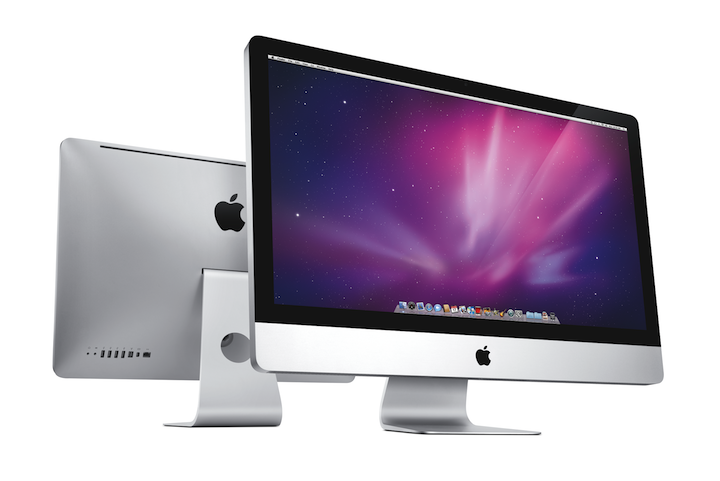
Last week I bought my third (modern) Mac, a new Core i5-powered 27″ iMac desktop. My new iMac has become a video editing workstation, running Apple’s Final Cut Studio software to process the video footage from Gestalt IT‘s Tech Field Day. The massive display and speedy quad-core CPU and graphics continue to impress: This new iMac is a keeper!
Purchasing Genius

The Tech Field Day video was recorded in DVCPRO 720p60 format with four tracks of 48KHz audio. The project was so large I had to make a Fry’s run and buy a new 1.5 TB hard disk drive just to move it around! After casting around for an inexpensive way to process the video, I realized I would have to bite the bullet and buy Apple’s professional Final Cut Studio suite.
I’ve long wanted to learn Final Cut, but the US$999 list price is certainly quite steep. I thought to use Bing Cashback to find a discount and rebate, but time pressures meant Amazon.com would have to do. Amazingly, Amazon was able to arrange same-day delivery in New York City, and the total price tag was more than US$100 cheaper than the local Apple Store.
Final Cut was way too much for my MacBook Pro or Mac Mini to handle, however, and my old 20″ 1680×1050 screen wasn’t much help either. I decided that the 27″ iMac would be the perfect editing station, especially with a the impressive new quad-core Intel Nehalem CPU. Luckily, I chose the perfect store (the Fifth Avenue Apple Store in New York) and day (Tuesday, November 17) to go shopping: This store received one of the first shipments of Core i5 iMacs just that morning! In fact, the helpful Apple dude mentioned that I was the first i5 buyer – could my new Mac be the very first Core i5 iMac in consumer hands?
I cabbed the (huge) iMac back to my (tiny) hotel and headed over to the Interop conference where I was presenting – I would have no time to play with my new toy for much of the week.
Initial Impressions
Later that evening I did get a chance to unbox it and was amazed by a few things:
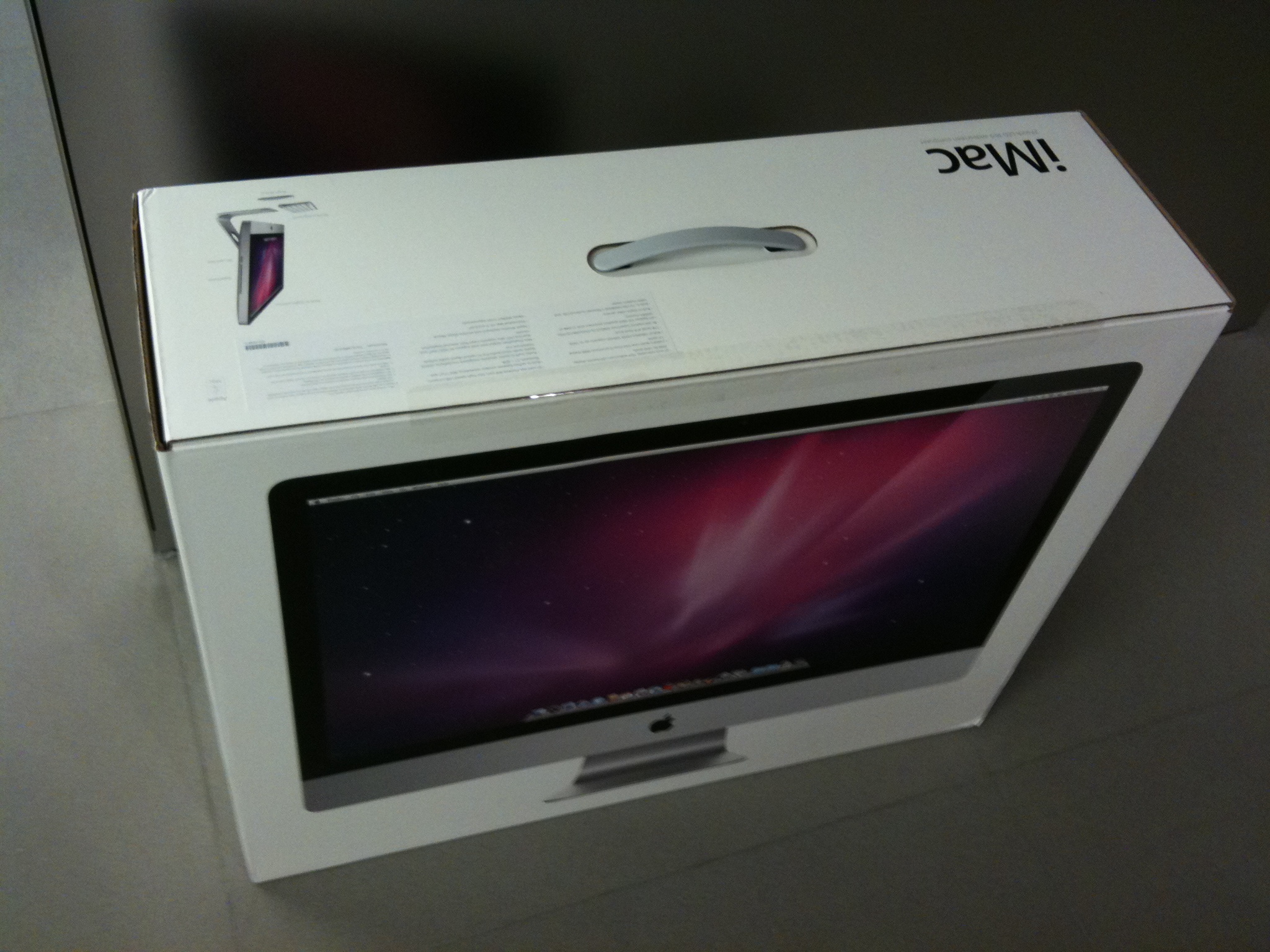
- The shipping box is huge – much larger than the iMac itself. At 30″x25″x10″, it’s small enough to be checked as baggage (more on that later) but does not fit in a Mazda MX-5 Miata (ditto!)
- Although it only weighs 30 lbs, the 27″ iMac is not easy to handle. It balances nicely on its pedestal, tilting with a soft touch, but this thing is a beast made of aluminum and glass!
- It’s not as tall installed as you might think (20.5″ is enough headroom), but it’s almost 26″ wide and more space is needed on the right for the Superdrive and SD card slot.
- Apple hates cables. The only “wire” in the box was the power cord! The keypad-less BlueTooth Keyboard and Magic Mouse look positively tiny next to this giant computer.
- Also in the box were glossy white Apple stickers, a slim book, iLife and Snow Leopard DVDs, and an inexplicable package containing some kind of black cloth.
Initial setup revealed more about The Beast:
- The power button is hard to find by touch: It’s so nicely integrated into the left rear panel that your finger can brush right over it.
- It has even fewer ports than my Mac Mini: Audio in and out, 4x USB, FireWire 800, Mini DisplayPort, Gigabit Ethernet, and power.
- The ports appear impossibly tiny since they are flush with the back. I have trouble finding the right port and orientation since they all look too small to fit my cables!
- BONG!!! The startup chime is very loud!
- It takes much longer to boot than my other Macs – the Apple logo, “circular file”, and desktop all wait long enough for me to wonder if something is wrong.
- The (removable) screen glass is a fingerprint magnet. Every touch leaves a smudge.
- The system is quiet and cool, even with 5 fans, a 7200 rpm hard disk drive, and server-grade CPU and graphics.
- The iSight camera is concealed at the top of the display, but the microphone is invisible. I have no idea where it is – I just talk to the computer!
- Two of the four RAM slots are empty with 4 GB installed, and Apple actually gives instructions on expanding the system RAM! But everything else (hard drive, CPU, Superdrive, etc) are totally inaccessible behind the LCD.
- The IPS LCD panel is so bright and beautiful, especially with the new darker Snow Leopard gamma, that it attracts attention from anyone nearby.
Up and Running
Now that I’ve been using the iMac for almost a week, I can safely say it is the best Mac I have ever used. The gorgeous screen alone was worth the price, and it came with a speedy computer built in! Sadly, the giant iMac was in New York and my home office is in Ohio. Holding my breath (and applying lots of extra bubble wrap), I checked it as baggage for my flight home. AirTran must employ non-gorillas, because the iMac made it in perfect shape. It was actually much more difficult to get the box into my car, but opening the top gave plenty of room.
Final Cut is simply brilliant with this much screen real estate: I can view 720p video at 100% scale with plenty of room left over for the Timeline and Browser windows. Even 1080p would fit with a slimmer timeline, and the Core i5 CPU and ATI 4850 graphics have no trouble keeping up. Rendering and compressing is quick, though it could always get quicker, and Snow Leopard seems to do a good job allocating work to the four CPU cores.
One interesting anomaly is the CPU load graphs: The “Lynnfield” Core i5 CPU has an effective “turbo mode“, allowing cores to ramp from 2.66 GHz to 3.2 GHz if others are unused. It appears that iStat and Activity Monitor leave “room” for this additional speed, so intensive CPU activity always leaves about 10% idle time. Or perhaps some system bottleneck keeps the CPU from being totally saturated. Regardless, the Core i5 iMac is easily three times as fast at media encoding as my 2.0 GHz Core 2 Duo Mac Mini. MacWorld’s benchmarks agree, with this Core i5 iMac being “the fastest standard configuration Mac (they’ve) ever tested.”
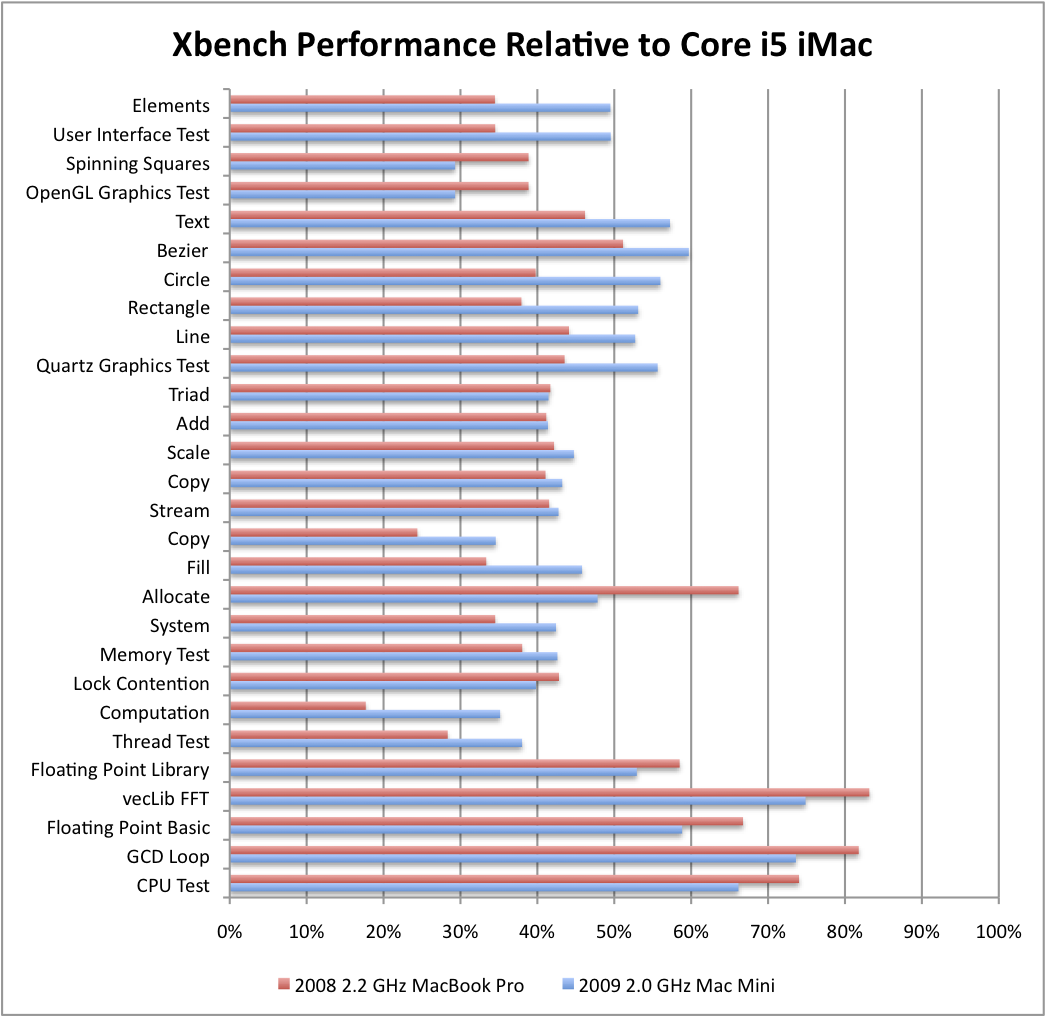
Although it’s not much of a benchmark, Xbench shows the relative performance of my systems clearly: The iMac is 1.3x to 3.5x faster than my 2009 Mac Mini and 2008 MacBook Pro at just about every CPU and graphical task! This is to be expected of course, since there are twice as many cores and each is faster, but it validates the seat-of-the-pants feel of using this machine.
What’s Next
I plan to keep posting about the iMac over the coming weeks and months (as I have with the Drobo, MacBook Pro, Mac Mini, and iPhone) so watch this space for more:
- The 27″ iMacs (and not the 21.5″ models) have a bi-directional Mini DisplayPort connection, allowing other computers with DisplayPort output to use the screen. I’ve got my Mac Mini hooked up this way and will be talking more about that.
- As I dive into Final Cut Studio, I’ll probably be posting more about that on this site.
- I’d like to do more comprehensive benchmarks on the machine.
- I’m also considering the (limited) upgrade possibilities.
Let me know what you’d like to hear by leaving a comment below!
Beautiful, and the best desktop on the market, IMHO. Thanks for the great summary, Stephen, and happy computing. I’m looking at getting one of these next year, my 2005 G5 Power Mac is looking a bit log in the tooth, even with 16GB of RAM and 3+ TB of external storage hanging off of it. It’s still running Tiger – though that said, more than 4 years into its life, it still runs flawlessly and stays up for months at a time, I never have to bring it down, but do give it a rest from time to time. Hope you’re well and have a great Holiday, BTW. Hope to see you soon.
Very nice, and quite a nice package even for professionals, although there are reports that the screen can’t be calibrated as well as one would expect. Even so, I plan to pick up an i7 as a backup production machine.
I wonder what this means for the pro boxes?
Some advice pls!!! Hello! My name is Tavi Moldovan, i’m from Romania and i just read your blog http://blog.fosketts.net/about/, about the new iMac i5. Sorry if my english is not so good. I want to buy a similar iMac, and really your advice can help me. This model “i5” is good enough for Final Cut Studio, works well in movie editing and exporting/share movies? I also have a HDCAM (tape format) and a AVCHD format camera, and i read all kind of information about this formats. I try to work something in AVCHD format on a Mac Book Pro, the small one, but the Final Cut Express and iMovie bearly can manage this format. It was to slow to import movies and export in a HD MOV format, for a HD hard disk player. So, i understand that you use iMac i5 with Final Cut Studio program, it is ok for this? Thanks! Tavi Moldovan
Some advice pls!!! Hello! My name is Tavi Moldovan, i'm from Romania and i just read your blog http://blog.fosketts.net/about/, about the new iMac i5. Sorry if my english is not so good. I want to buy a similar iMac, and really your advice can help me. This model “i5” is good enough for Final Cut Studio, works well in movie editing and exporting/share movies? I also have a HDCAM (tape format) and a AVCHD format camera, and i read all kind of information about this formats. I try to work something in AVCHD format on a Mac Book Pro, the small one, but the Final Cut Express and iMovie bearly can manage this format. It was to slow to import movies and export in a HD MOV format, for a HD hard disk player. So, i understand that you use iMac i5 with Final Cut Studio program, it is ok for this? Thanks! Tavi Moldovan
Tavi, if you’re still around to read this, the quad core i5 iMac works perfectly in Final Cut Studio to process AVCHD video. The process is super smooth, and as the author of this article says, pretty much nothing makes this machine slow down. Right now, I am importing a 12 million record database, pegging all four cores, at the same time I’m writing this and you’d think the machine was completely idle.
Same thing with importing AVCHD into Final Cut. I had the same frustrations you are with AVCHD imports and then I bought this machine and they all vanished.
Buy the machine. You won’t regret it.
Hope that helps.
D
I currently use a white 24″ imac first gen intel (maxed out at 2GB ram)to do my video editing with final cut express and imovie. Currently the export to .mov takes quite a while to process. I would gestimate about 1 hour of processing per 3-5 minutes of video (1920×1080 HD at 3000kb/sec with 44.1K audio) this is very time consuming. I was wondering how long the export (per 5 minutes of video) takes on your i5 iMac?
thanks, Brandon